VIVO AI Travel Assistant
From Inspiration to Itinerary in One Drag.
Bridging social discovery and action at the OS layer
People discover travel inspiration organically on social platforms, but turning that inspiration into an actual plan is exhausting. I designed a system-level workflow for OriginOS that uses multimodal AI to extract travel data from social apps and generate structured, editable itineraries in seconds.
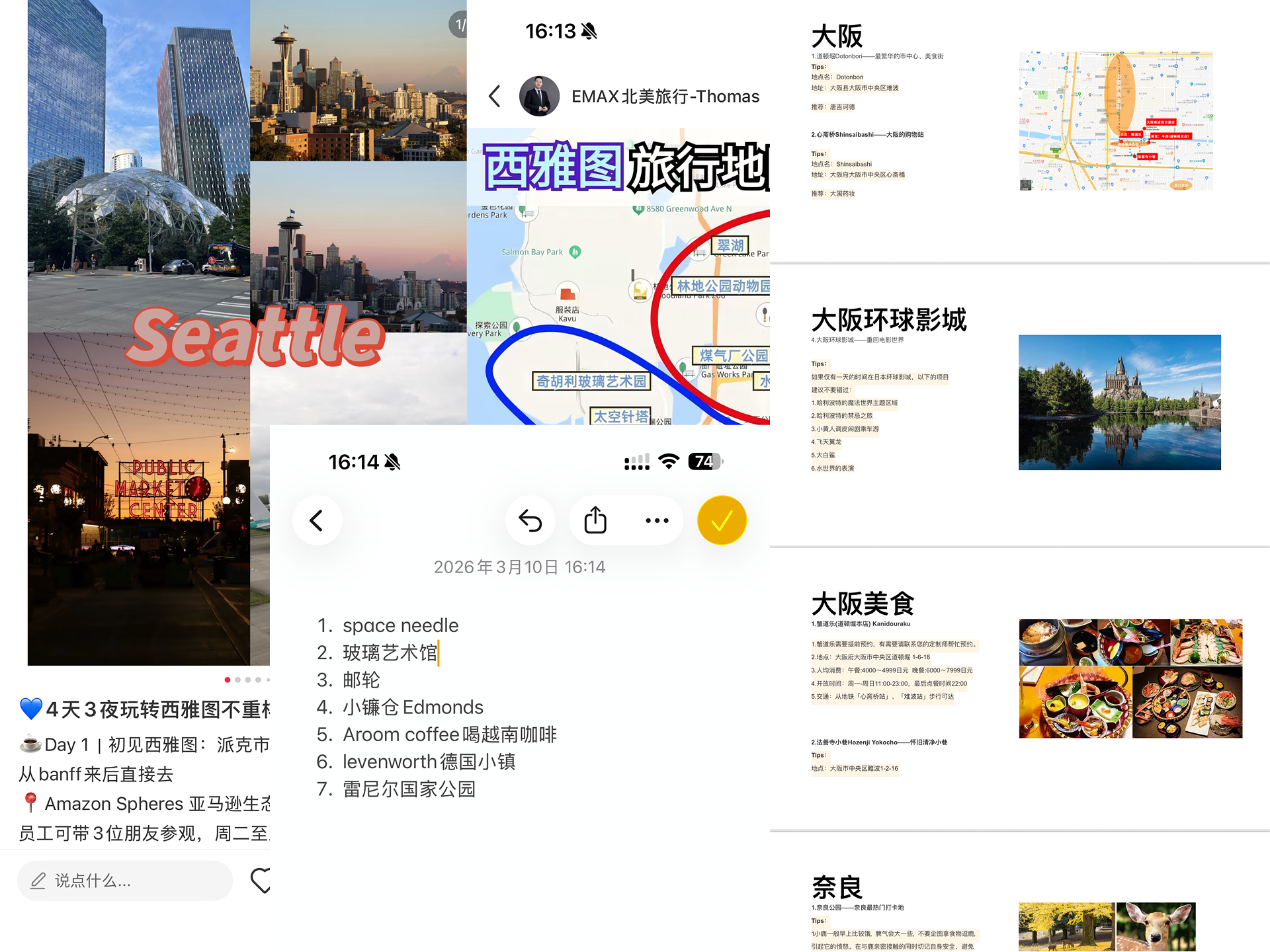
The Problem: The Friction of Manual Planning
Moving a point of interest from a social media feed to a mapped route requires bouncing between apps. When I mapped the existing user journey, I found it took over 15 manual steps of copying, pasting, and searching across social, map, and note-taking applications. This high cognitive load resulted in a massive drop-off between user intent (discovering a location) and action (adding it to a plan). The friction wasn't in the travel apps themselves; it was in the fragmented space between discovery and planning.
The Strategy: A "Zero-Input" OS-Level Workflow
The conventional approach would be to build a standalone travel app. But asking users to interrupt their scrolling to open a new app introduces new friction.
Instead, I positioned the solution at the OS layer. I utilized OriginOS's "Atomic Island" (our dynamic island component) as a universal, persistent drop zone. Users simply drag text or images directly from a third-party app like Xiaohongshu into the island. This triggers the AI extraction in the background. The core principle was strict: bridge the gap between third-party inspiration and first-party execution without breaking the user's browsing flow.
Information Architecture: Structuring the AI's "Black Box"
AI can feel unpredictable to users. Before moving into high-fidelity UI, I mapped the system logic to ensure the AI's parsing process was transparent. I structured the complex data inputs—ranging from raw text blocks to image recognition—into a clear information architecture. The goal was to guarantee that the backend data translated cleanly into a predictable, logical interface.


System Handoff: From Conversation to GUI
AI chat interfaces are great for intent recognition, but poor for complex data management. I designed a seamless transition from the conversational BlueLM interface to a structured, native GUI. Users trigger the generation in the chat, and the system seamlessly hands them off to a dedicated, map-based management view.
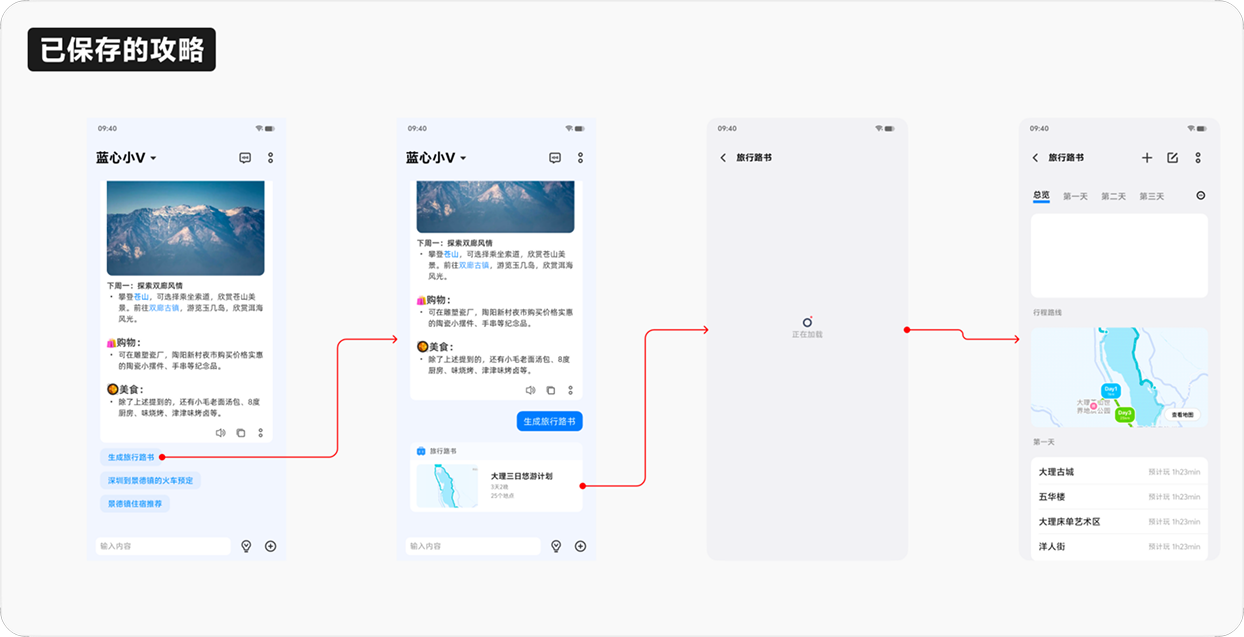
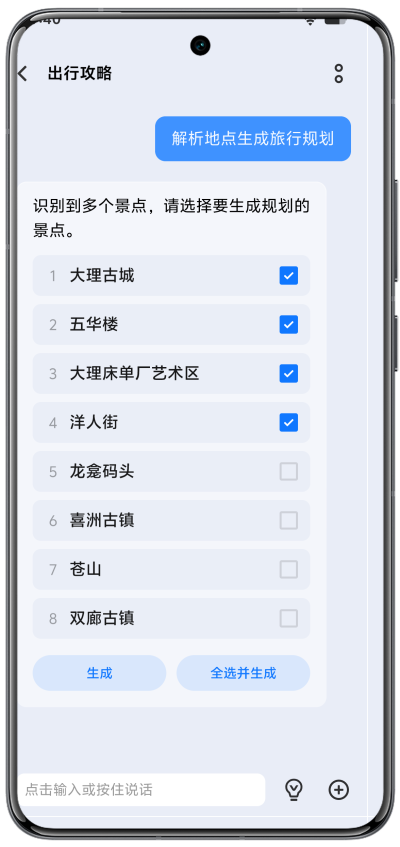
Execution & Craft: Human-in-the-Loop Validation
AI extraction isn't flawless. Before generating the final route, the system presents a parsed list of all identified POIs. This crucial "human-in-the-loop" step allows users to verify, select, or discard locations extracted from their social feed. This prevents the AI from hallucinating a chaotic route and builds user trust early in the funnel.
Execution & Craft: Motion and Control
A major technical constraint was latency. The proprietary GenAI model (BlueLM) required 2–3 seconds to process the dropped data. A standard static loading spinner would kill momentum and erode user trust.
To solve this, I used functional motion to mask the processing time. Using Lottie/JSON, I designed the Atomic Island to morph into a dynamic skeleton loader. This continuous visual feedback mimics the AI's "thinking" state, making the wait feel active rather than passive.
Structured, Editable Output
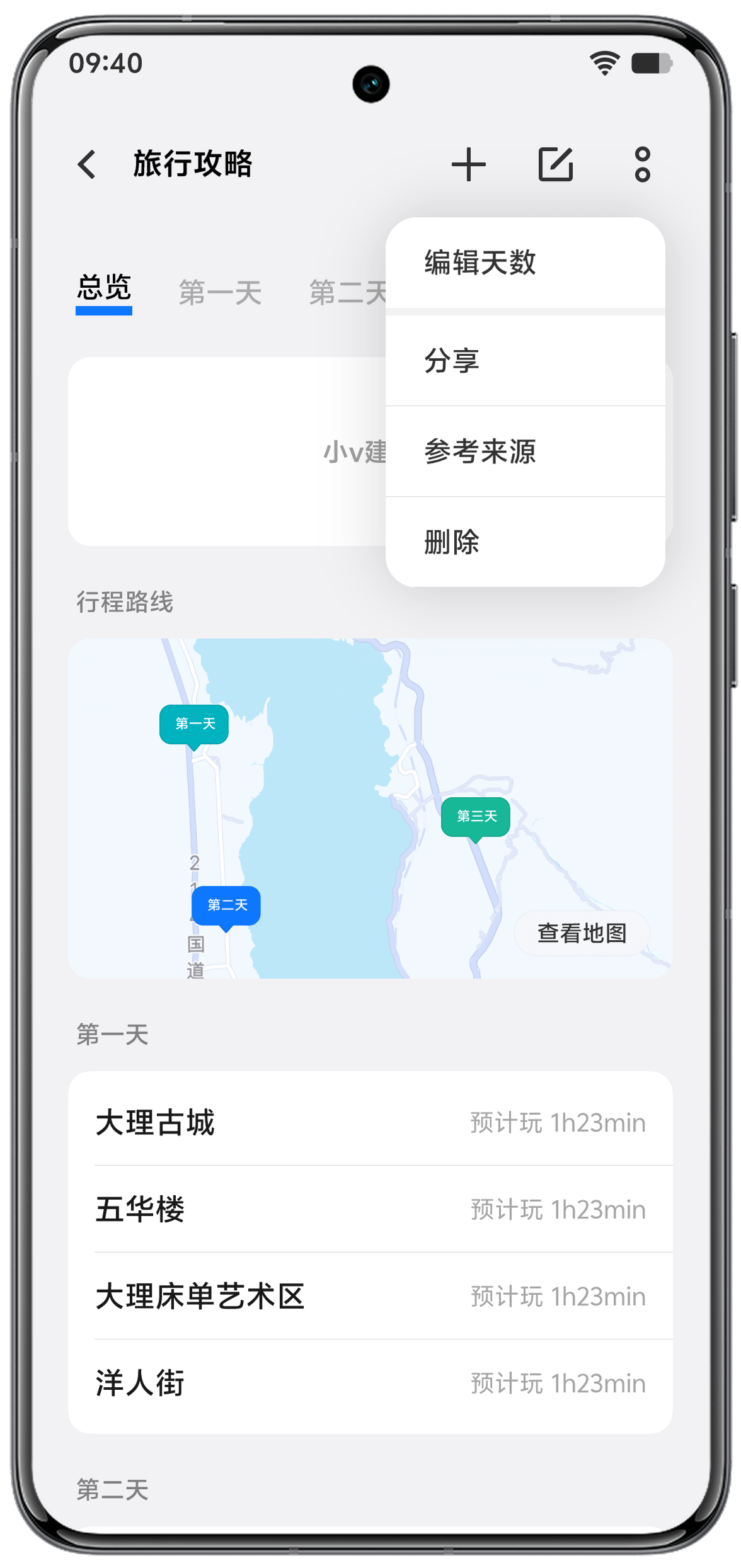
Once the data is processed, raw AI output can easily overwhelm the user. To prevent information fatigue, I designed the "Travel Roadbook" with a tab-based, day-by-day structure. I prioritized a WYSIWYG (What You See Is What You Get) interface so users could easily edit, reorder, or delete AI-generated points of interest. The AI does the heavy lifting of gathering the data, but the human retains complete control over the final itinerary.
Designing for Fallbacks and Trust
To ensure the itinerary remains completely flexible, I integrated multimodal input methods (link and image parsing) for post-generation edits. Additionally, I included a "Reference Source" feature in the contextual menu. By allowing users to trace any AI-generated POI back to its original social media post, we significantly reduced anxiety around AI hallucinations.
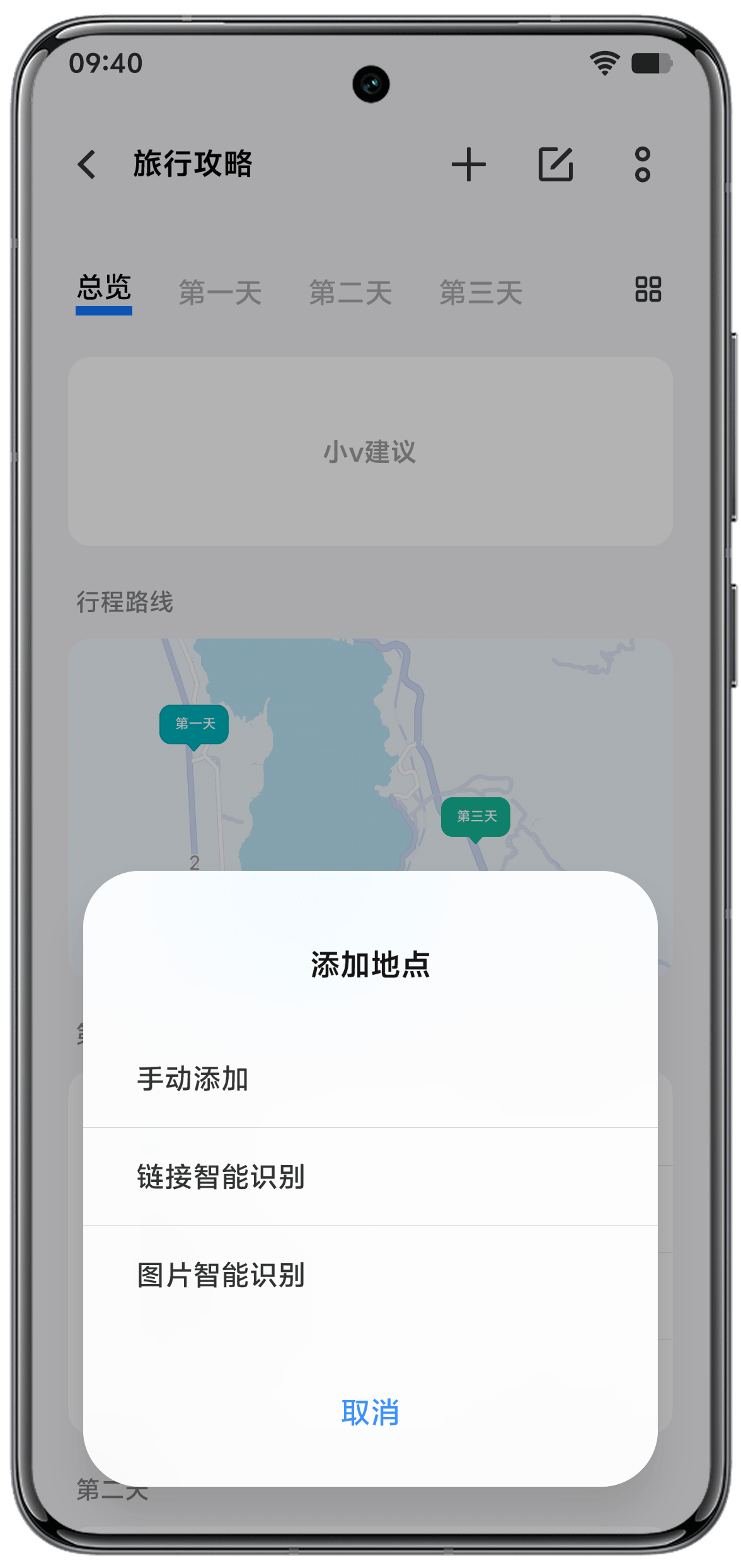
About the Company

vivo is a leading global technology company and a top 5 smartphone manufacturer globally, serving over 500 million users. Renowned for its innovation in 5G, AI, and imaging, the company powers AI features across its product lineup with its self-developed BlueLM (Blue Heart Large Model).
Visit Global WebsiteDisclaimer
Due to Non-Disclosure Agreements (NDA), the visual designs shown in this case study are reconstructions based on the original concepts and do not represent the final shipping product. Also, I adapted the original design for the global audience during this reconstruction.